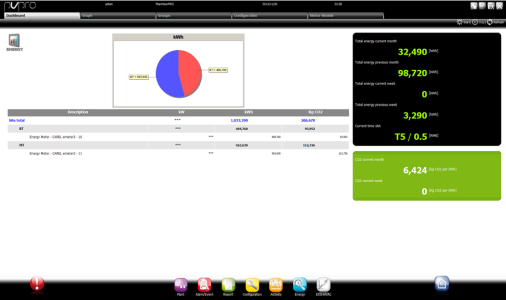
Read consumption statistics appear in the Dashboard page. From here you can view the consumption and costs of each group and their percent of total site consumption. By analyzing the graph you can decide whether a group can be connected to a control meter that can be turned on by programming time slots in Plant calendar.
 Stopping Energy
Energy must be stopped before you create/delete a meter group.
 Stop: Energy pauses statistic analyses.
Starting Energy
This is required after you create/delete a meter group.
 Start: Energy analyzes data read in real-time by PlantVisorPRO and displays them.
|
|
If a meter was just added to a group, it may not have recorded values yet. Wait several minutes (i.e.: 15 minutes) to have a good number of valid readings. |
Clearing meter data
Clearing data lets you start monitoring from zero in terms of consumption and costs.
Clearing data does not physically delete meter counters but only the data collected in Energy.
 See also
PlantVisorPRO Locale 2.2.0 -
