 If no default values are read by the user, Parameter control uses the values read at the first control as default values.
After setting up parameter control and before starting parameter control, it is best to read current critical parameter values which are assumed optimal values. Read values become default values. The values are compared by parameter control with the values read cyclically.
If no default values are read by the user, Parameter control uses the values read at the first control as default values.
Reading can be repeated even when parameter control is running. Values read from the field and displayed in the Dashboard page are saved as default values, overwriting previous values. Reading does not generate a notification but is recorded in the log. The registration is Snapshot.
The first reading usually occurs with parameter control stopped. Later it can be repeated with the function running:
Open the Dashboard page; the parameter list appears [1]:
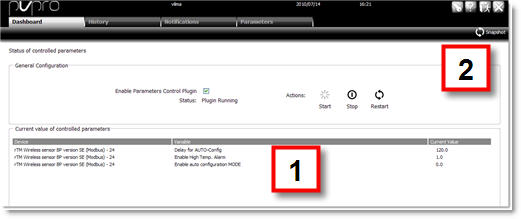
Click  Snapshot [2]: the values read from the field are saved as default values.
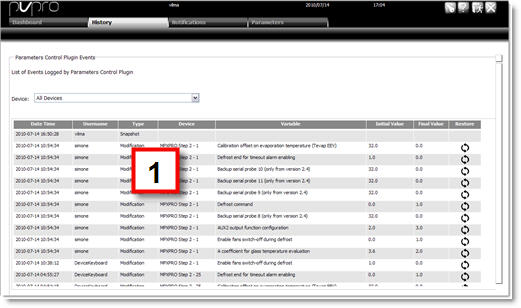
A Snapshot [1] registration is added to the History page.
 See also
Parameter control: introduction
PlantVisorPRO Locale 2.2.0 -