
Any devices that are not compatible with the plug-in will not appear in the list.
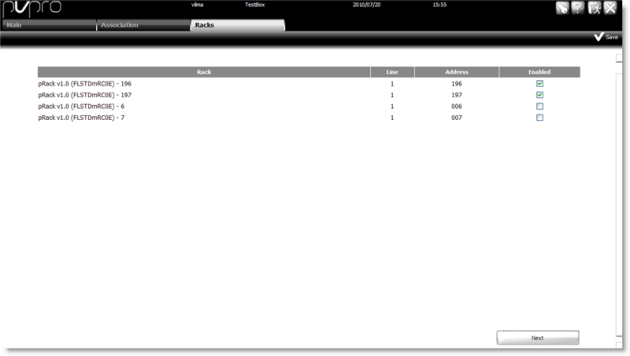
The Racks page lets you select the racks to be enabled in the plug-in.
|
|
Any devices that are not compatible with the plug-in will not appear in the list. |
Click Enable for all the racks to be enabled.
Click  Save.
Save.
|
|
A maximum of eight racks can be enabled. |
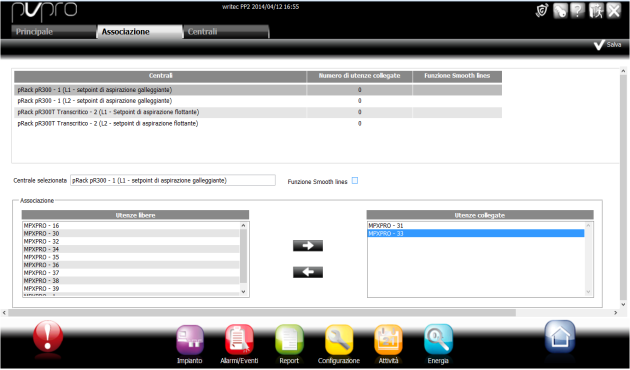
In the Association page, link showcases to enabled racks and select whether or not the Smooth lines algorithm is to be enabled:
|
|
Any showcases that are not compatible with the plug-in will not appear in the list. |
Click Save.
 See also
Floating suction: introduction
Floating suction: algorithm parameters
Floating suction: customizing parameters
PlantVisorPRO Locale 2.2.0 -