Path:

C lick and select Devices
|
Path:
|
C |
|
|
|
|
Purpose |
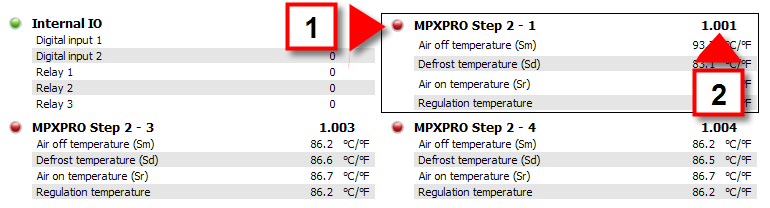
Checks all system physical and logical device behavior, regardless of their groups. |
|
1 |
Device status and description see Device: basic concepts |
|
2 |
Numeric device code For physical devices, it is <lineNumber>.<deviceAddress>. |
 Action
|
Click a device |
The Device details page opens. |
 See also
PlantVisorPRO Locale 2.2.0 -