Path:

C lick and select Map
|
Path:
|
C |
|
|
|
|
Purpose |
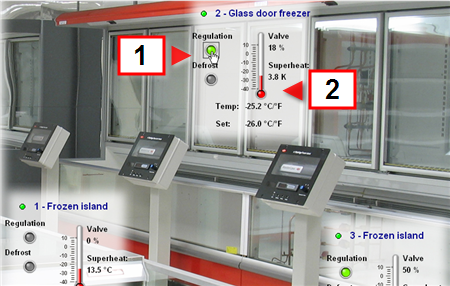
Checks all system physical and logical device behaviors, following the organization provided by the designer. |
|
1 |
Example of a sensitive element and device status. see Device: basic concepts |
|
2 |
Indicator example. |
 Action
|
Clicking sensitive elements |
Opening another page (i.e.: linked map, device or graph details). |
|
|
Refer to the designer's instructions on how to use synoptic maps. |
 See also
PlantVisorPRO Locale 2.2.0 -
